Budget & Spend Tracker
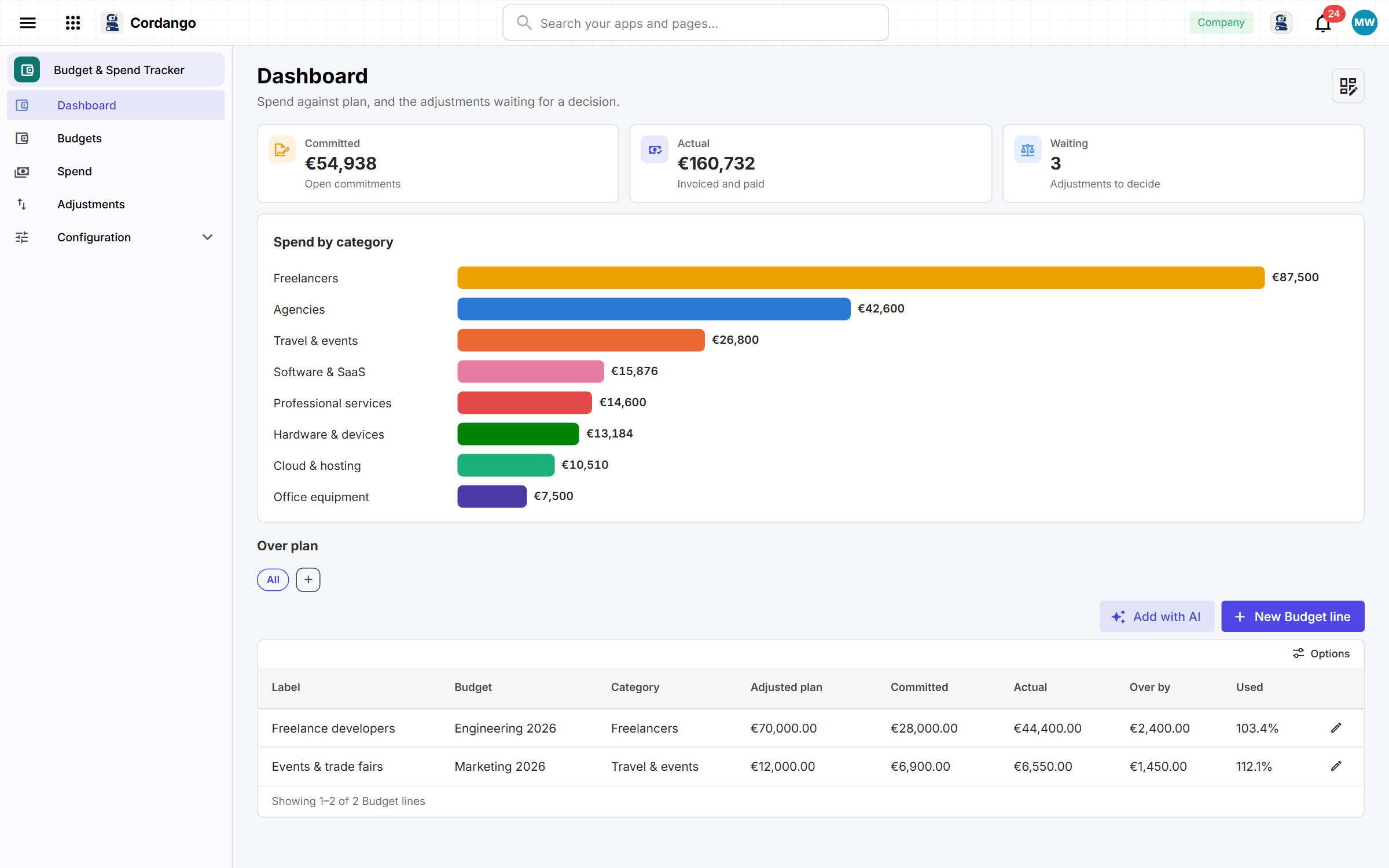
A department head shouldn’t learn at quarter end that the budget is gone. They hear on a Monday instead, because committed money counts before it’s spent.
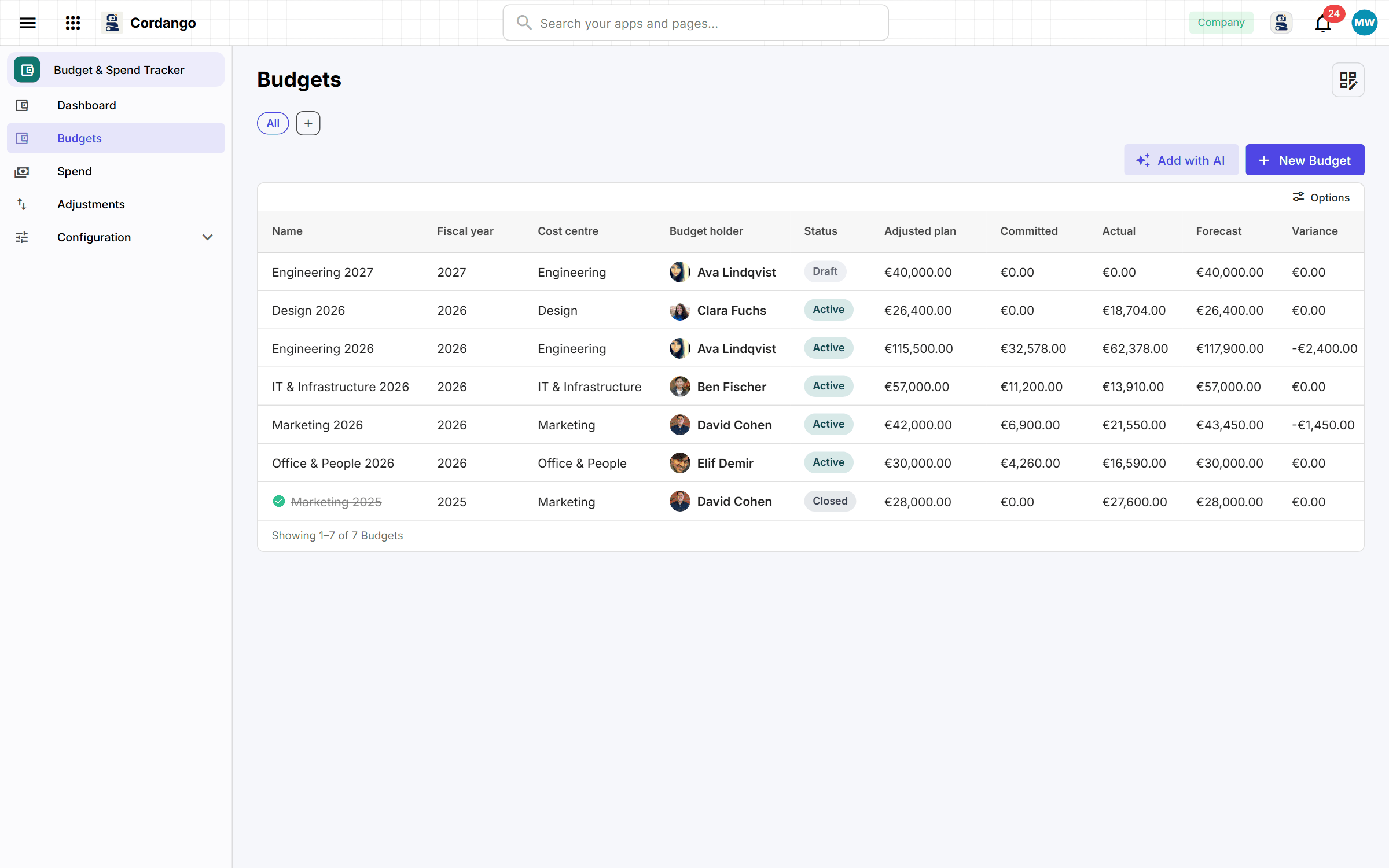
The finance controller sets a budget per cost centre and period and splits it into the lines people actually spend against. Money that has been promised is counted apart from money that has gone, so a line that looks fine on the bank statement can still show as overdrawn. Approved purchase requests, renewed subscriptions and approved projects commit against their line by themselves when those apps are installed. Changing the plan is an adjustment somebody else has to approve.
What it does
- A budget per cost centre and period, broken into the lines you spend against
- Money promised and money gone, counted separately and both against the line
- Forecast and how far over a line is, worked out rather than reported
- Moving a plan is a decision with an approver, and never your own
- The cost centres and categories the rest of Finance quotes back at you
- An owner hears when their budget is forecast to go over, before it does
What's included
Records
- Budget
- Budget line
- Spend
- Adjustment
- Cost centre
- Category
Workflows
Budget: Draft · Active · Closed
Spend: Open · Invoiced · Paid · Cancelled
Adjustment: Proposed · Approved · Rejected
Roles
- Finance controller
- Budget owner
- Department viewer
- Administrator
5 pages · 5 views
How it connects
Every app here installs on its own and works on its own. Adding a companion is what makes both do more.
Works with
What it does for you
- Commit the money when a purchase is approved · Purchase Requests
- Commit next year's money when a subscription is renewed · Vendor & SaaS Management
- Commit the estimate when a project is approved · Project Intake & Portfolio
- Stamp who filed a spend row
- Stamp who asked for an adjustment
- Tell an owner on Monday when their budget is forecast over
- Ask for last month's actuals before the month closes
Screenshots