APPS

One company.
One platform.
Whatever software it needs.

CRM, operations, HR, compliance, projects, approvals and the countless processes in between. Build or install the business software your company needs on one shared platform, without creating another isolated software stack every time.

sales_crm · dealsOne of many
FIG.01

What can you build?

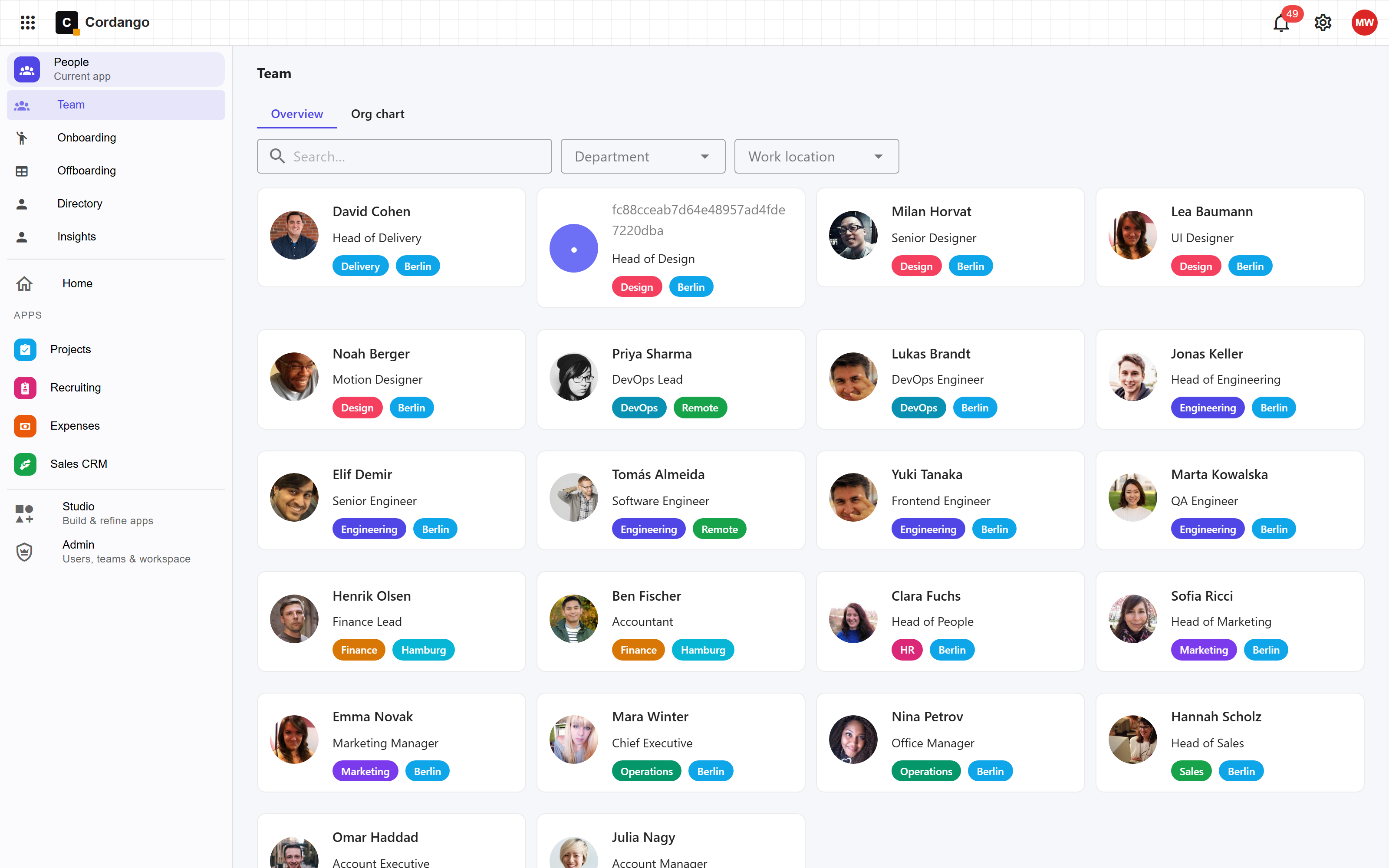
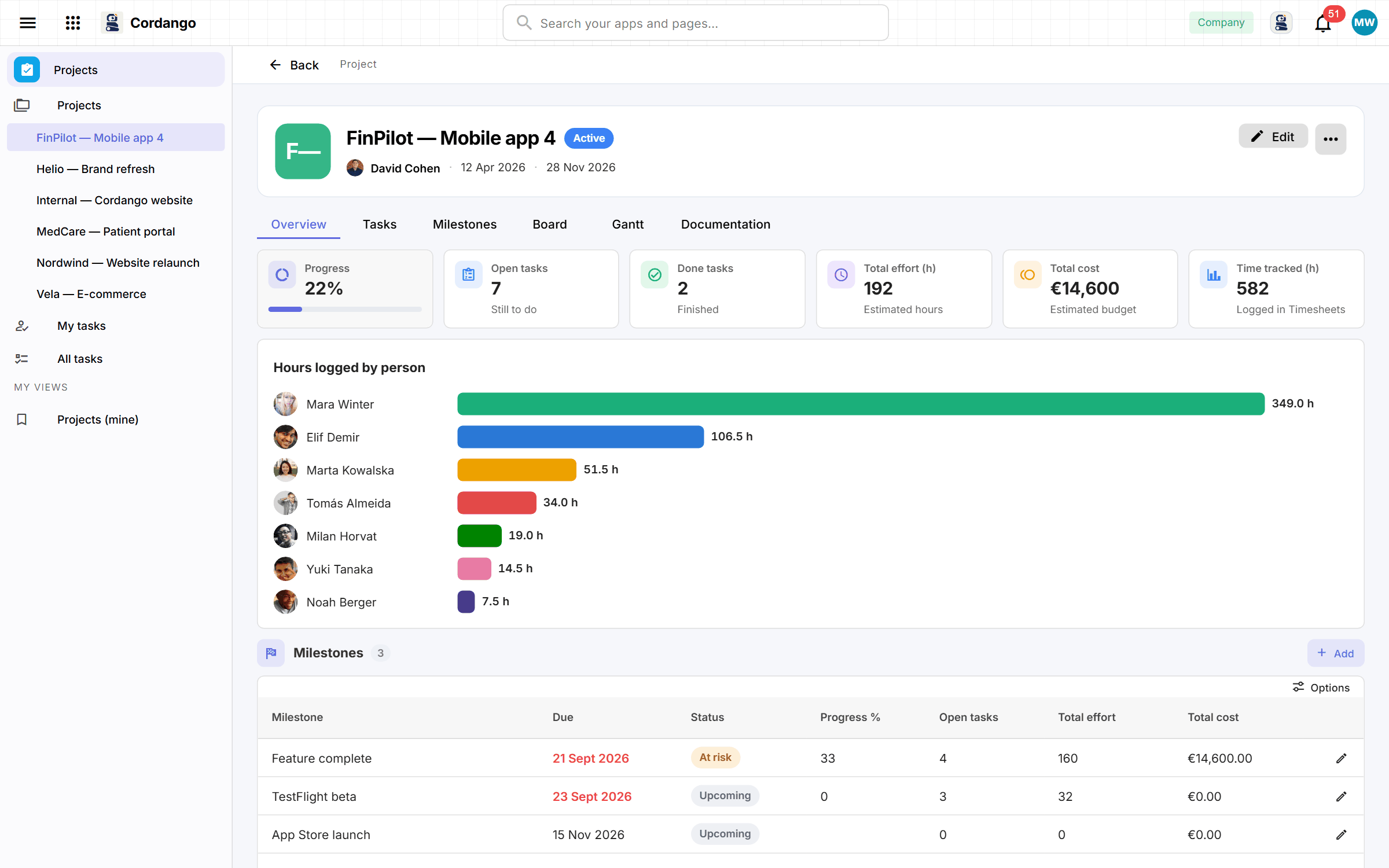
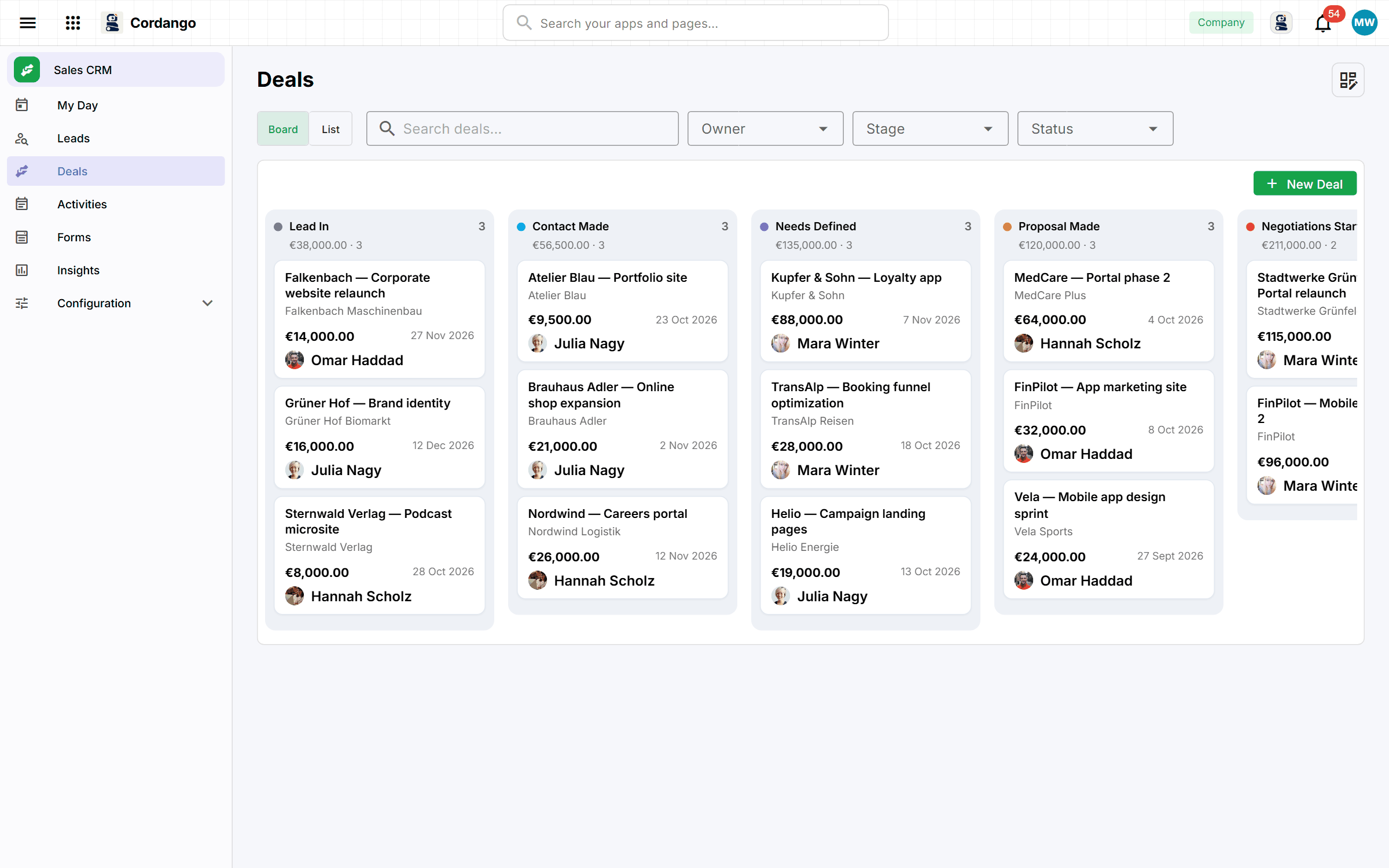
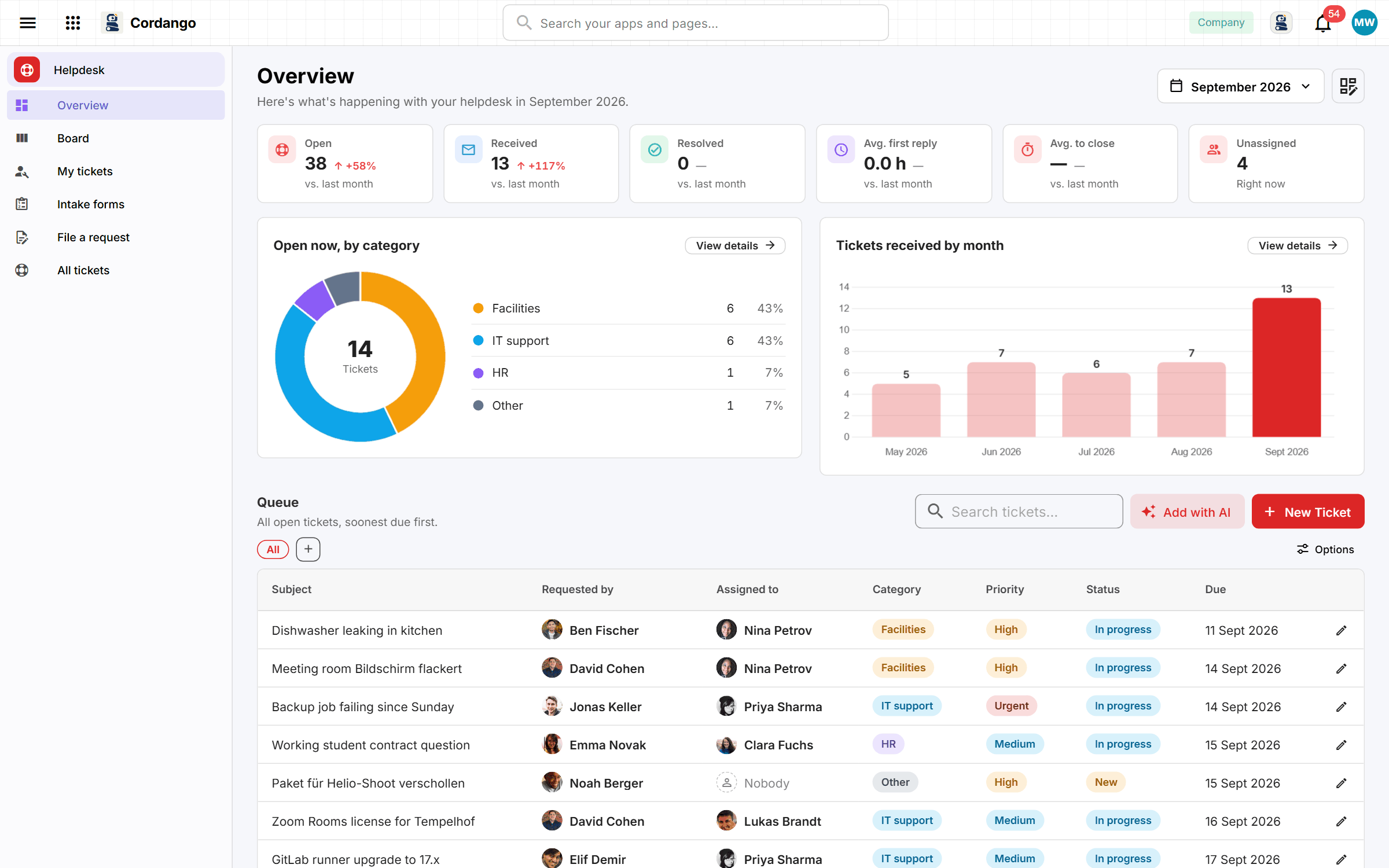
Eight apps companies run on Cordango today, each a real app you can look at. The point is not the length of the list. It is that all of them belong to one company system.

SALES

CRM

Deals on a board, a weighted forecast and a follow-up on every open deal, against one customer record the rest of the company reads. Works like Pipedrive.

See the app →
SUPPORT

Helpdesk

An inbox becomes a queue with statuses, an assignee and a history that outlives the thread. Works like Zendesk.

See the app →
DELIVERY

Projects

Tasks, a board, a timeline and cost rollups on projects that already know the customer they belong to. Works like Asana.

See the app →
HR

Employee records

The employee file itself: records, documents, onboarding and history, as the directory everything else reads. Works like HiBob.

See the app →
PEOPLE

PTO and absence

Requests, approvals on the real reporting line, and who is out this week, without a spreadsheet.

See the capability →
PEOPLE

Onboarding

A first week that is a checklist against a real person record, with the team and manager already right.

See the capability →
FINANCE

Investments

Holdings, valuation marks, distributions and returns, on the same Organization records as everything else. Works like Carta.

See the app →
PEOPLE

360 feedback

Feedback cycles gathered against the people and reporting lines the company already has, not a survey tool.

See the capability →

Underneath all of them: the same People, Organizations, Teams, Calendar and Files. An asset register added next month reads the same person record the PTO app already does.

FIG.02

Born Ready.

Cordango does not only generate an app. A Cordango app is created already connected to the company platform, governed by the company security model, aware of shared company context, and portable beyond Cordango.

CONNECTED

Born Connected

Works with other apps, workflows, external systems and agents from the first day, because the interaction surface is part of the app, not something wired on later.

Why this is true →
GOVERNED

Born Governed

Identity, roles, permissions, audit history and company ownership are already there. Nobody adds governance to an app afterwards.

Why this is true →
CONTEXTUAL

Born Contextual

Apps share the same people, organizations, teams, files and calendar. The person in PTO is the person in the CRM and in Projects.

Why this is true →
PORTABLE

Born Portable

The app is a definition you own. It runs here, or it builds into conventional software that leaves the platform with you, where the generator supports it.

Why this is true →

The reason this is true: every app is an App Definition with an App Contract, running on one company platform. How an idea becomes an app →

FIG.03

Start from a ready-made app.

— the App Library

Somebody has usually solved it before. Install an app another company already worked out, then change the parts where your company is different. It arrives working, on your own platform, with your people and permissions already in it.

FIG.04

Or describe the one you need.

Describe the app in plain words. Cordango asks a few questions to learn how you work, then builds it: screens, workflow, permissions and a dashboard, hosted and secured, with your people already in it. If something is too involved to generate, we build it with you.

What arrives is a complete application, not a starting point you have to finish. Run it with real work for a week, then ask for the change.

  • IN Start from a sentence, not a blank database
  • Q&A It asks the questions, you skip the schema design
  • OUT A working app, hosted and secured for you
  • EDIT Change your mind later just by asking
Create an appGuided
# you > a way to track customer support tickets # cordango ai ? who can see tickets → support team, managers ? what statuses → open, in progress, done ✔ generated Ticket · Customer · Status · Assignee ✔ hosted & secured permissions set from your answers
FIG.05

Apps work together, because they were never separate.

Cordango apps do not simply sit next to each other. The deal in the CRM points at the same Organization record the support ticket and the delivery project point at, and the assignee on a task is the same person whose leave was approved. There is nothing to reconcile, because there was never a second copy of the company.

That is why a dashboard across every app is a view rather than an integration project, and why an assistant can answer a question no single app can, like which trial customers have an overdue invoice.

  • CTX Every app knows your people, teams and customers
  • VIEW Widgets from every app, on one screen
  • ASK Agents and MCP reach every app under the same permissions
  • RBAC Everyone sees only what they are allowed to
Acme Ltd — dashboardAll apps
12
OPEN TICKETS
248
CUSTOMERS · 14 TRIAL
€18.4k
INVOICES DUE
3
ON VACATION THIS WEEK

Built something good?

Publish your app to the library so other companies can install it and make it theirs. Creators do not set prices or sell subscriptions. Cordango rewards them when other companies genuinely use what they built.

Publish an app →

Start from the problem instead

The business app use cases companies build first, each with a real app behind it: a custom CRM, an internal helpdesk, onboarding, PTO, asset and project tracking.

See real use cases →
MORE

Further reading

NEXT

Bring one process.
We will turn it into an app.

A process that annoys everyone, turned into a working app in the demo. About 30 minutes, on a real company platform, with your permissions and your people in it.