Expenses
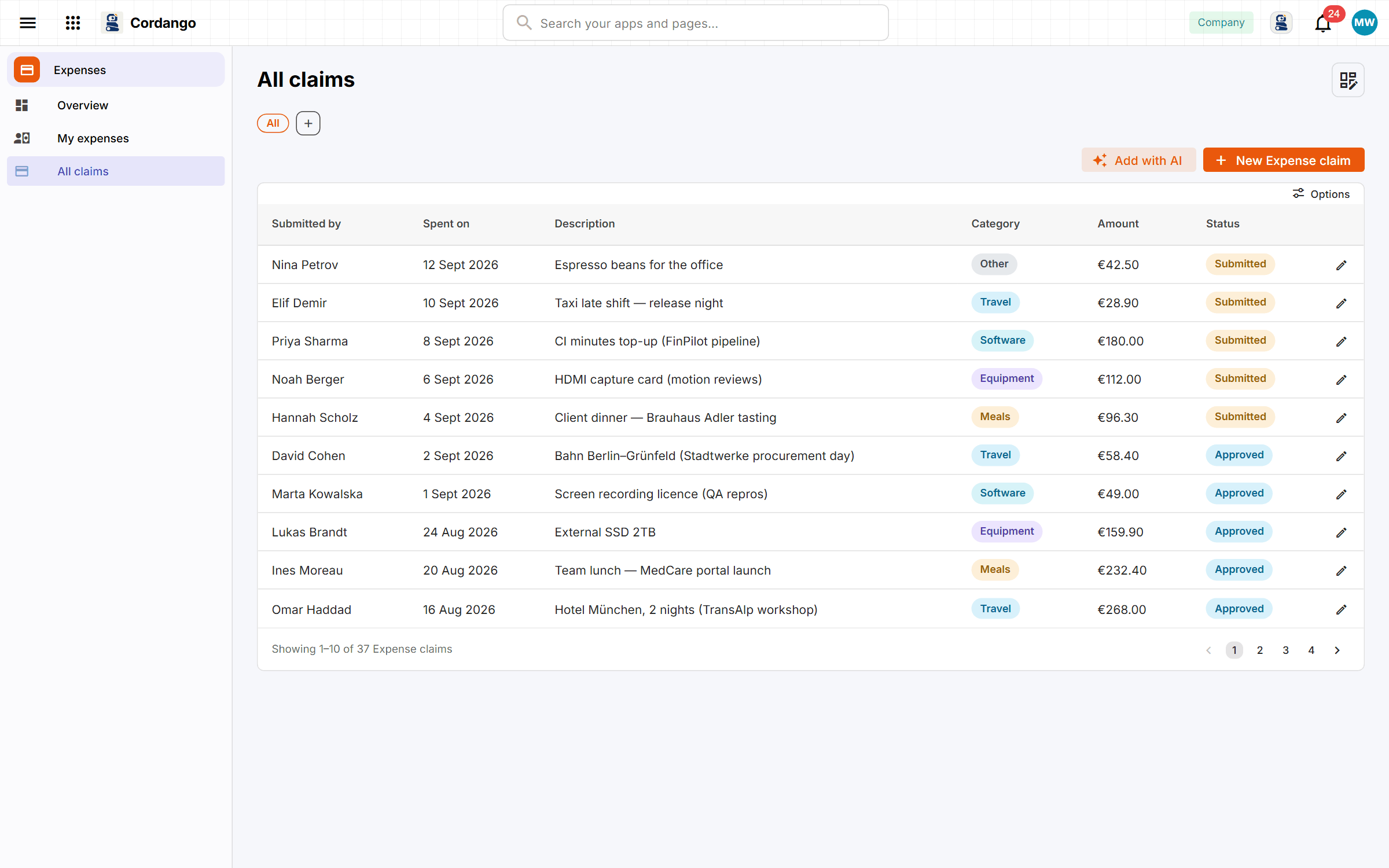
The colleague who paid for the team dinner on their own card files one claim with the receipt, and can see when it’s approved and when they’re paid back.
Add Expenses to your workspace
It installs from the App Library inside Cordango and starts working with what you already have.
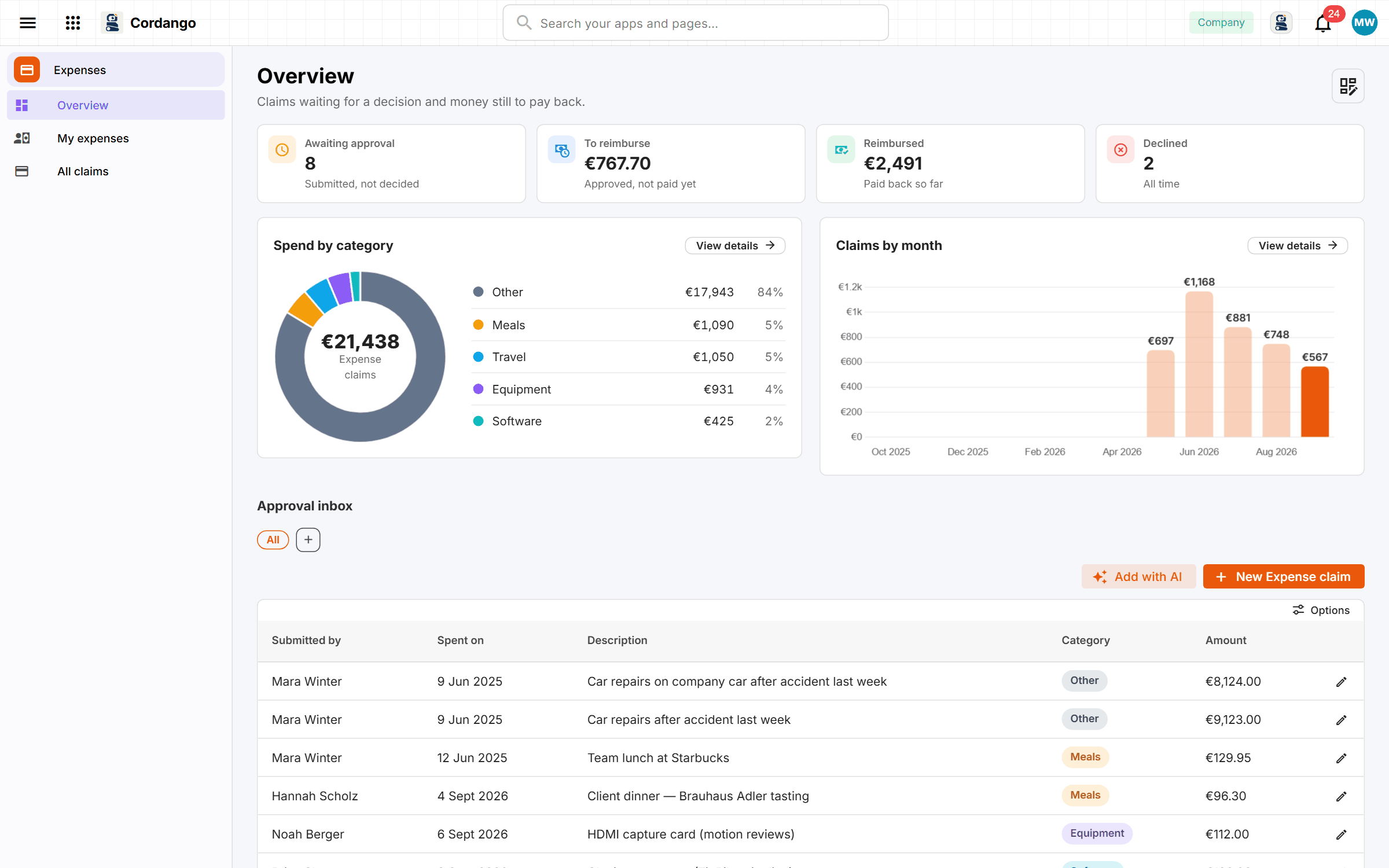
Expense claims tend to live in an inbox, which is why nobody can say which ones were paid. A claim carries the amount, the date, a category and the receipt, and goes to an approver who sees everything waiting on them in one list. A declined claim always comes with a reason. Marking a claim reimbursed is its own step with a date on it. Everybody can see what they’re still owed, and finance can see when the money went out.
What it does
- One claim per expense, with the amount, the date and what it was for
- Submitted, approved, reimbursed or declined, and never a guess which
- Everybody sees their own claims and what is still owed to them
- Approvers get the claims waiting on them, not a shared inbox
- Marking a claim reimbursed is a step, so the record says when it happened
What's included
Records
- Expense claim
Workflows
Expense claim: Submitted · Approved · Reimbursed · Declined
Roles
- Employee
- Approver
- Administrator
3 pages · 3 views
Screenshots