Warehouse
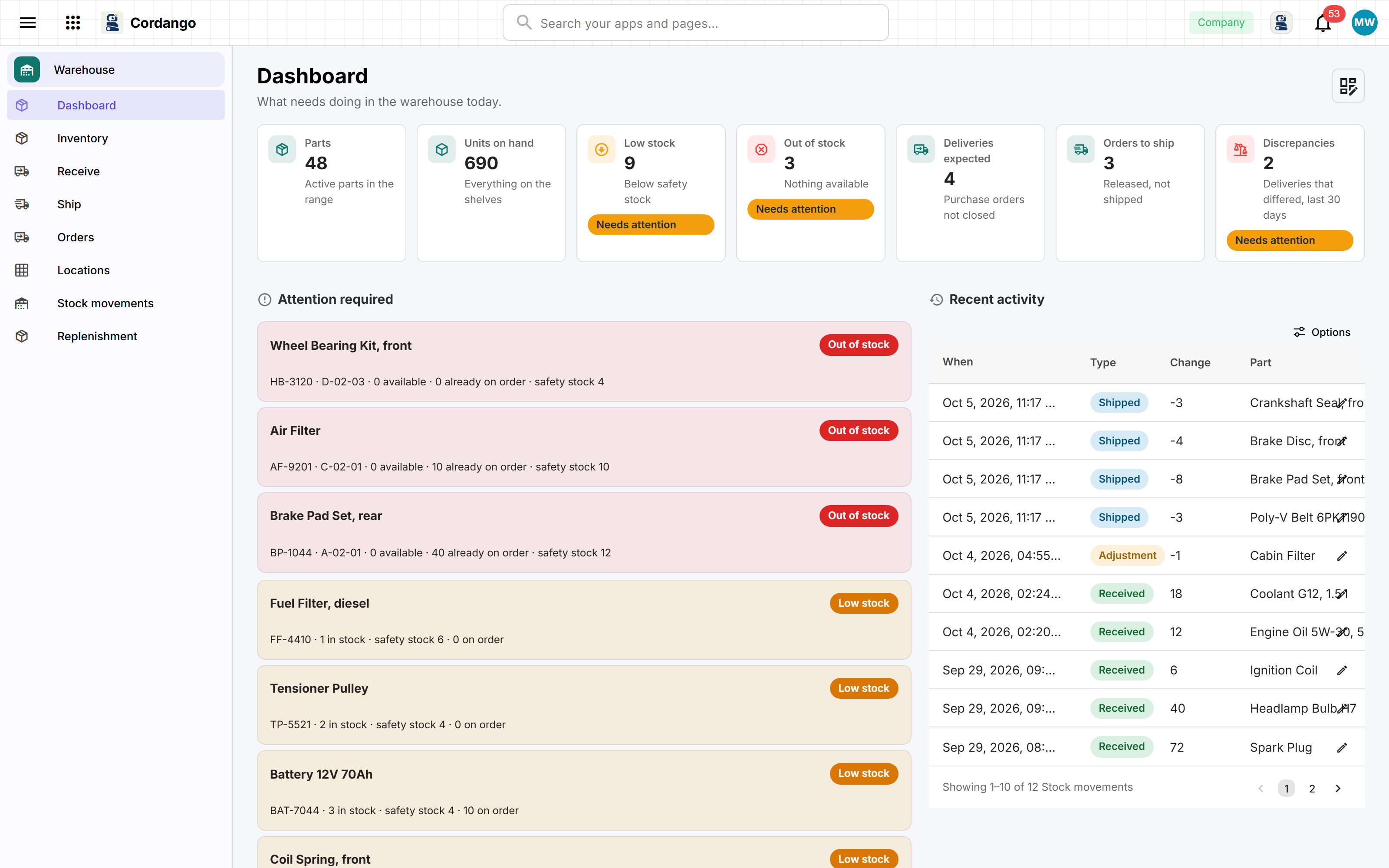
The stock list has outgrown its spreadsheet. Scan what arrives against what was ordered, see what is running low before it runs out, and pick customer orders bin by bin.
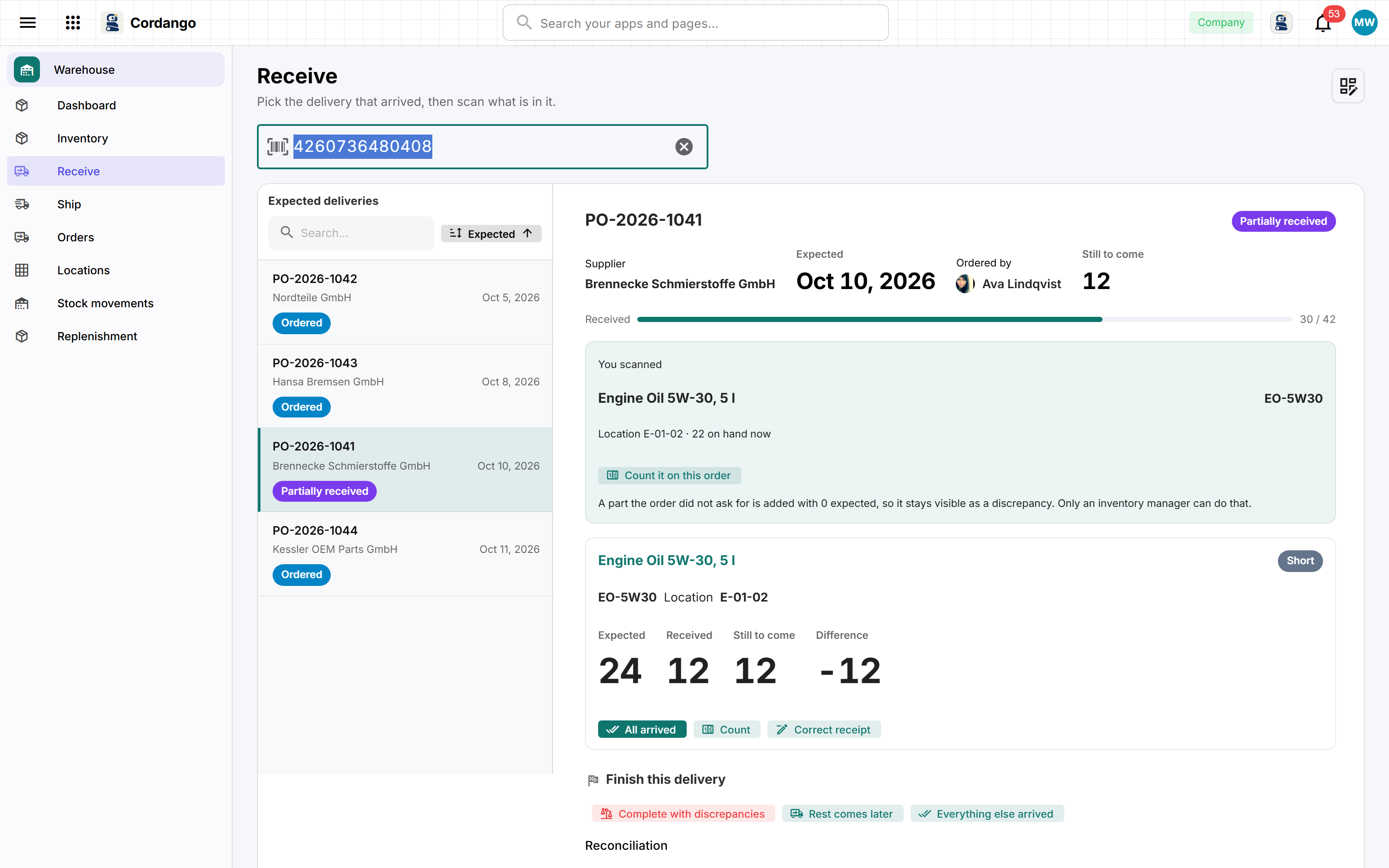
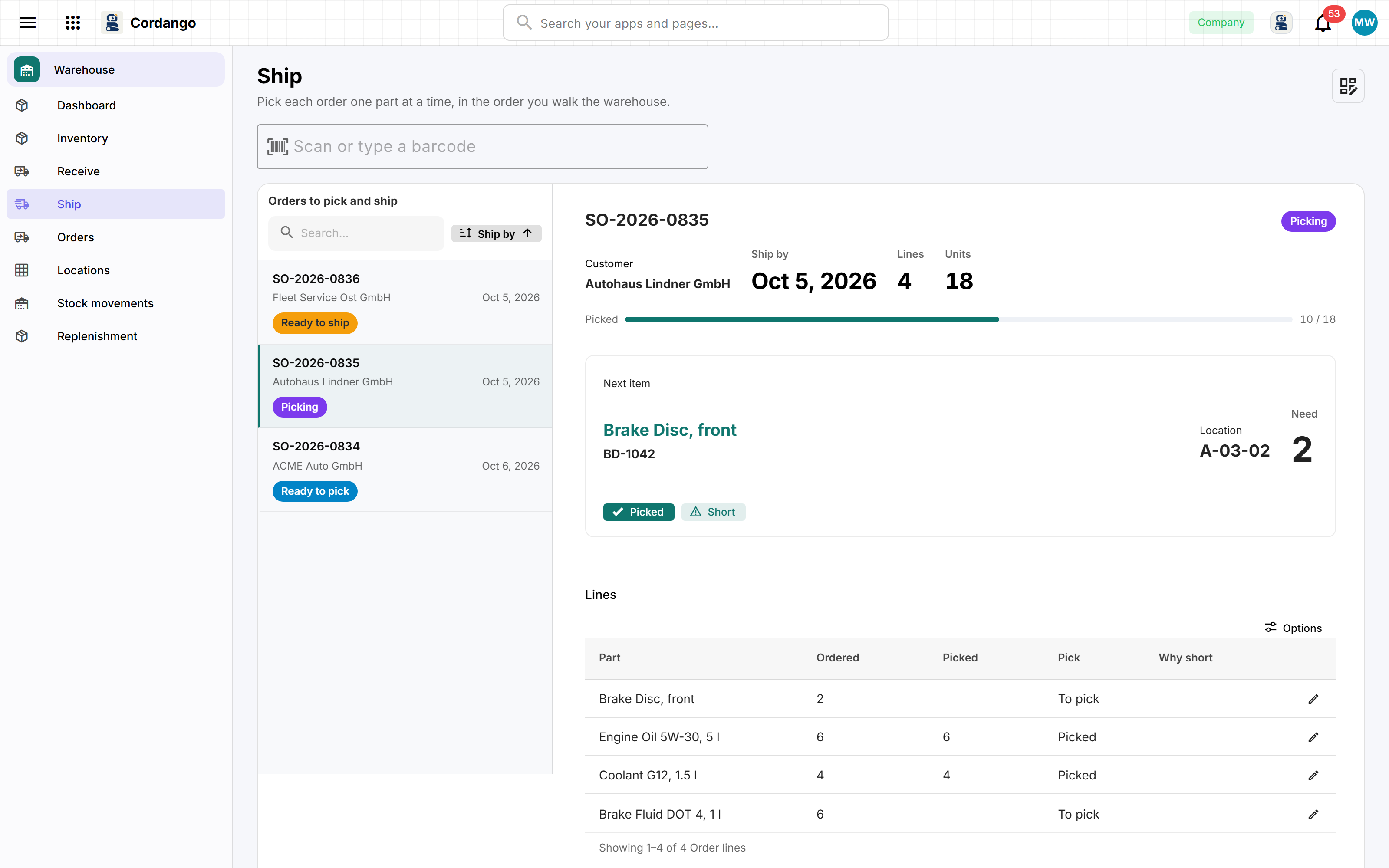
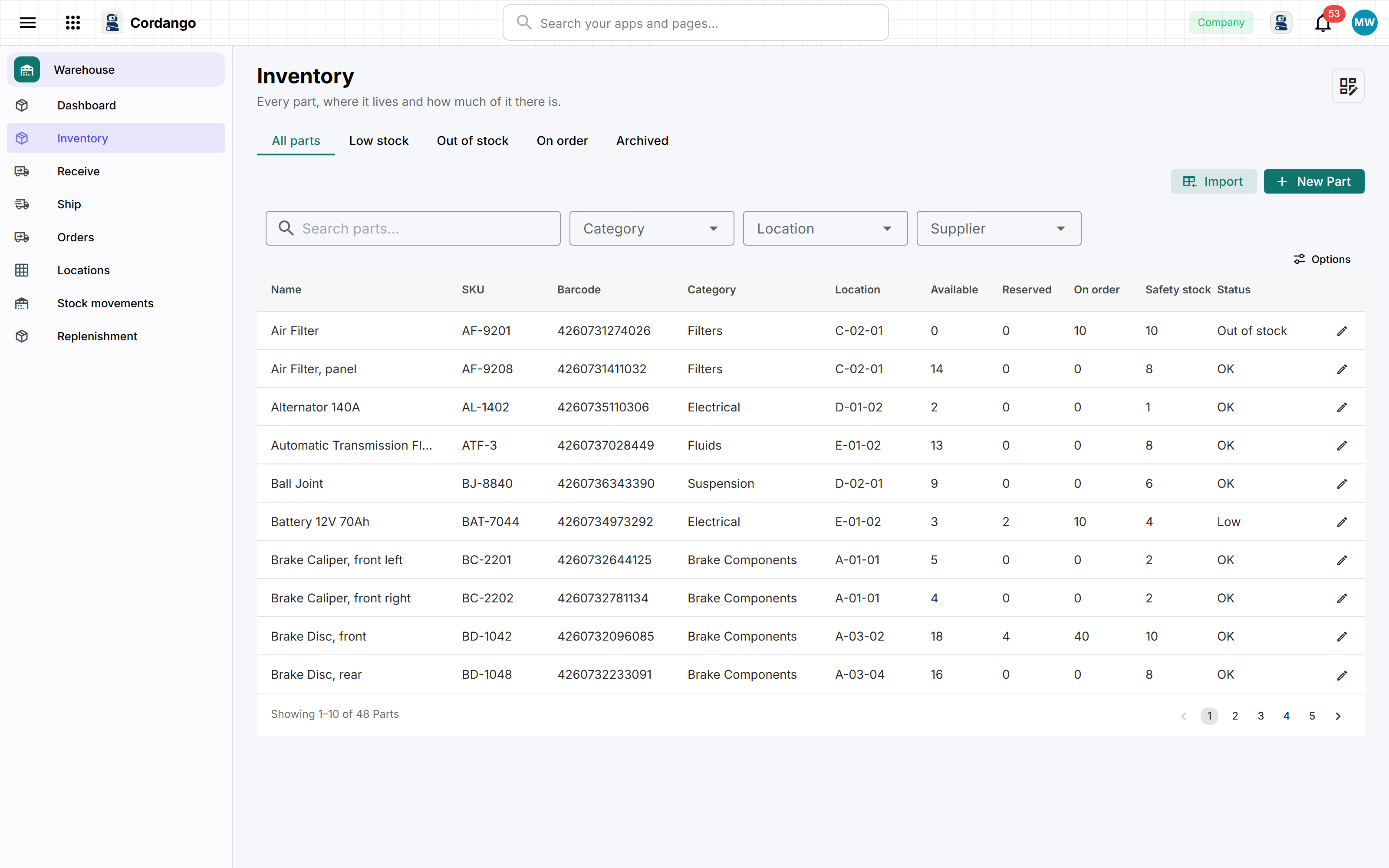
Every part has a SKU, the manufacturer's barcode and the bin it lives in. What is on the shelf is never typed in: it is the sum of everything that happened to that part, so the number on the screen is the number on the shelf, and every change says who made it. A delivery is scanned against its purchase order, and a shortage or an overage stays on the record instead of being quietly corrected. Customer orders are picked one bin at a time in the order you walk the warehouse. Suppliers and customers are the workspace's own companies, so a CRM or a purchasing app sees the same records.
What it does
- On hand, reserved, available and on order for every part, worked out from what happened
- Scan a delivery against its purchase order and keep every shortage and overage
- One part at a time, with the bin and the quantity in large type
- Below safety stock and not on order yet, and a purchase order filled from that list
- Every receipt, shipment, count and move, with who did it and when
What's included
Records
- Part
- Stock movement
- Purchase order
- PO line
- Customer order
- Order line
- Location
- Category
- Settings
Workflows
Purchase order: Draft · Ordered · Partially received · Received · Received with discrepancies · Cancelled
Customer order: Draft · Ready to pick · Picking · Ready to ship · Shipped · Cancelled
Roles
- Warehouse worker
- Inventory manager
- Administrator
8 pages · 0 views
How it connects
Every app here installs on its own and works on its own. Adding a companion is what makes both do more.
What it does for you
- A new part is reordered by the purchasing contact
- Stock a part arrives with is its first movement
- Shipping takes what was picked off the books
- Whoever ordered a delivery hears when it did not match
- Whoever ordered a delivery hears when only part of it came
- Tell the buyer once when a part needs reordering
- A part that is back above safety stock can warn again next time
Screenshots